
A client I’ve worked with for years called last month. Not about a Mac. He wanted to know if home Wi-Fi was something we handle, or whether he should just call the cable company.
Jerry Zigmont · MacWorks, LLC · Connecticut
We handle it. And his complaint is the one I hear most: the internet is great in the kitchen, fine in the office, and falls apart in the back bedroom and out on the porch — which are, naturally, the two places he actually wants to sit. He’d already bought a new router. It helped for about a week.
It’s almost never the router
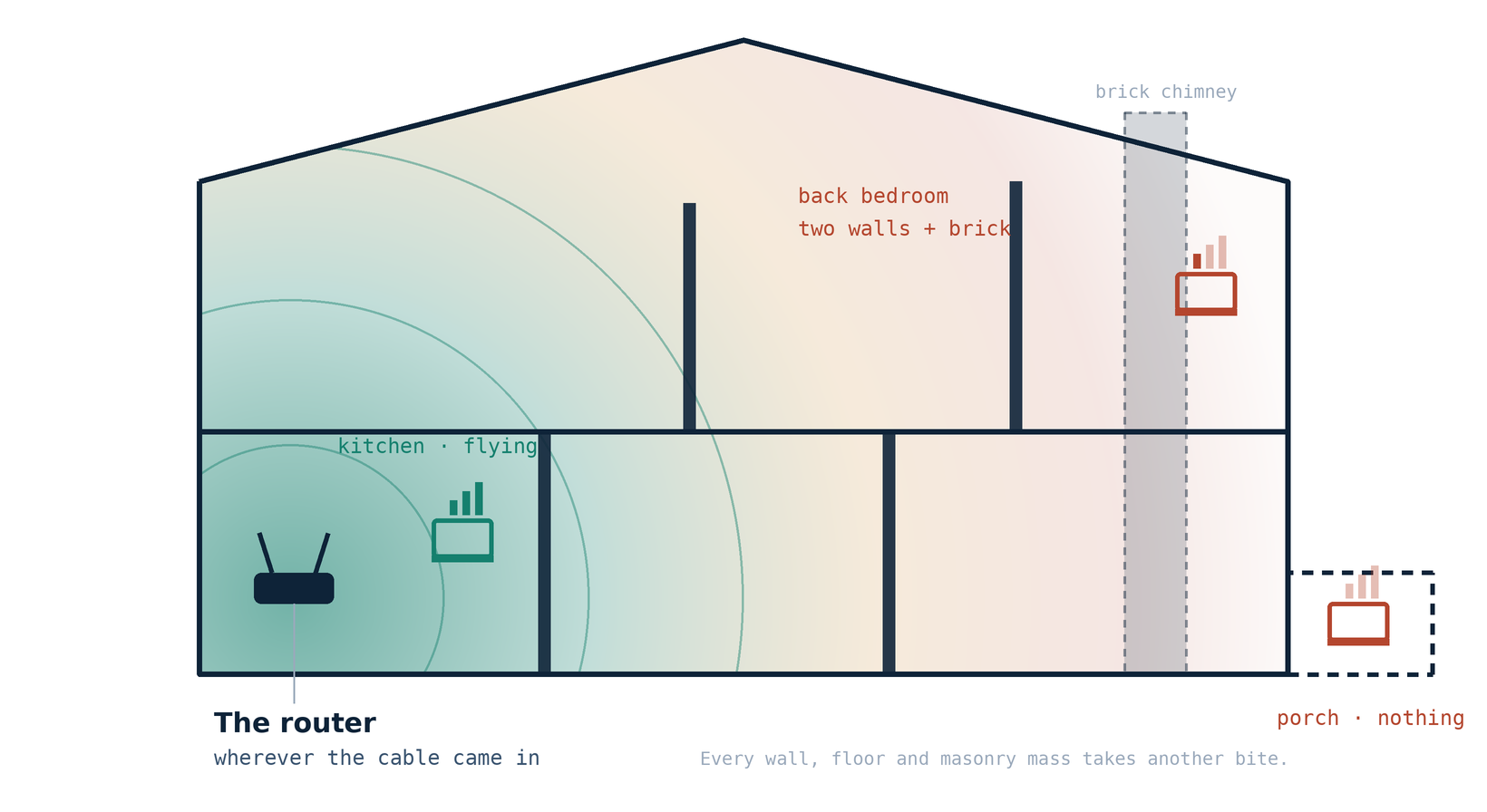
Wi-Fi is radio, so distance and materials beat brand names every time. Drywall costs you a little. The plaster-over-wire-lath in most older Connecticut houses costs you a lot, because that lath is a metal grid. Add brick, tile, mirrors, foil-backed insulation, radiant floor heat, a water heater. Fifteen feet can take you from excellent to unusable.
Here’s the part that surprises people. The conversation goes both ways, and your MacBook has a small, polite, battery-powered radio. The router can shout across the house. The laptop can’t shout back. That’s how you end up staring at three bars on a page that won’t load — and why a bigger router just puts a better shouter in the same bad spot.
One Ethernet cable beats three more boxes. Almost always.
So the first fixes I try are free: get it off the floor, out of the cabinet, away from the metal, and toward the middle of the house. After that, if the cable enters the basement and the coverage is needed upstairs, running a single wire to a better spot and putting the radio there is often the entire project.
Mesh is good. Here’s the part nobody mentions.
Mesh systems work, and we install a lot of them. But those units talk to each other over the air, using the same airtime they’re using to talk to you. Every wireless hop costs you roughly half of what’s left. That’s why the third unit parked in the far corner often makes things worse — it’s hanging on by a thread, and now everything on it shares that thread.
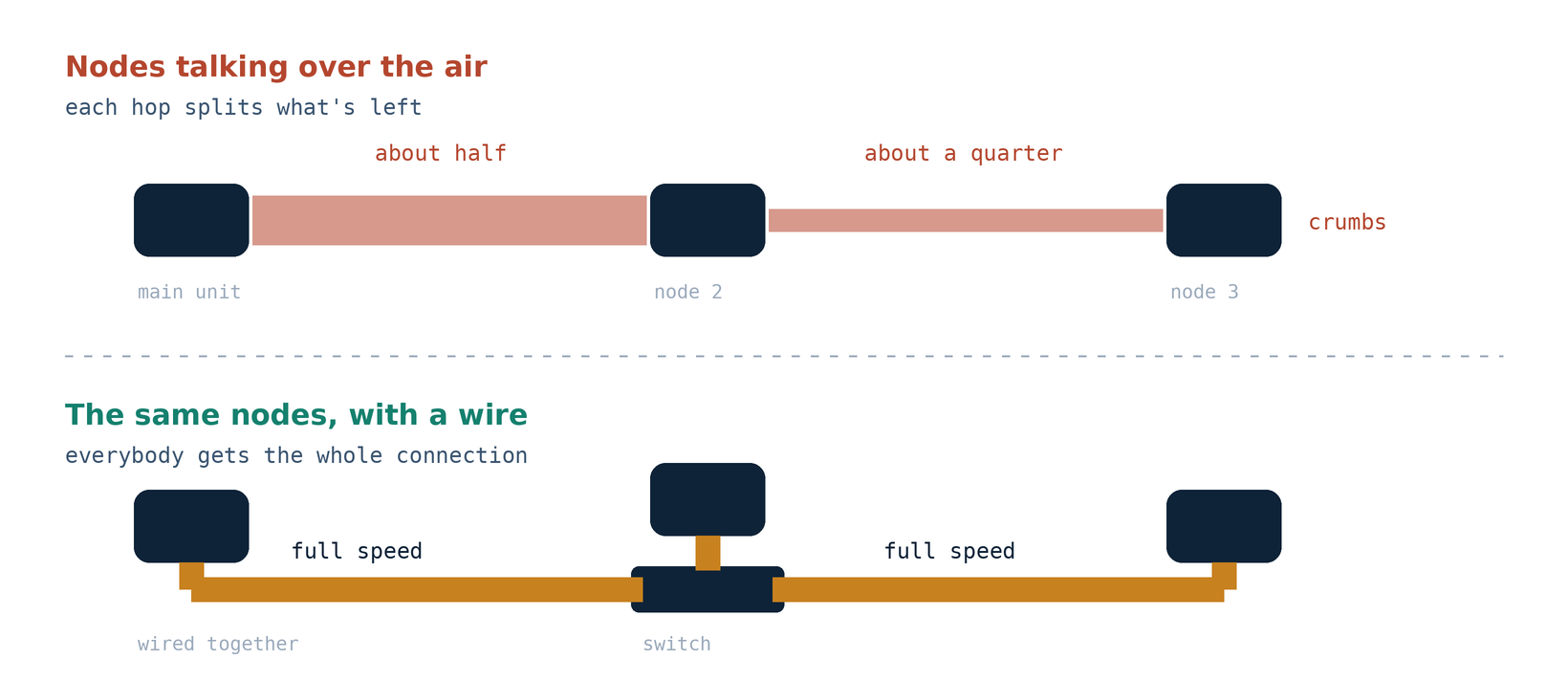
Two rules come out of that. A node goes roughly halfway between the router and the dead zone, never in the dead zone. And if you can wire the units together, wire them.
Eero at home, Ubiquiti at work
We’re Eero installers, and the reason is unglamorous: it’s boring in the right way. It updates itself, it recovers without a phone call, the app makes sense to someone who doesn’t work in IT, and it handles a wired connection between units properly. For a household that wants the internet to work and never wants to think about it again, those are the right trade-offs. We don’t sell or resell hardware and take no margin on it — you buy it directly and you own it.
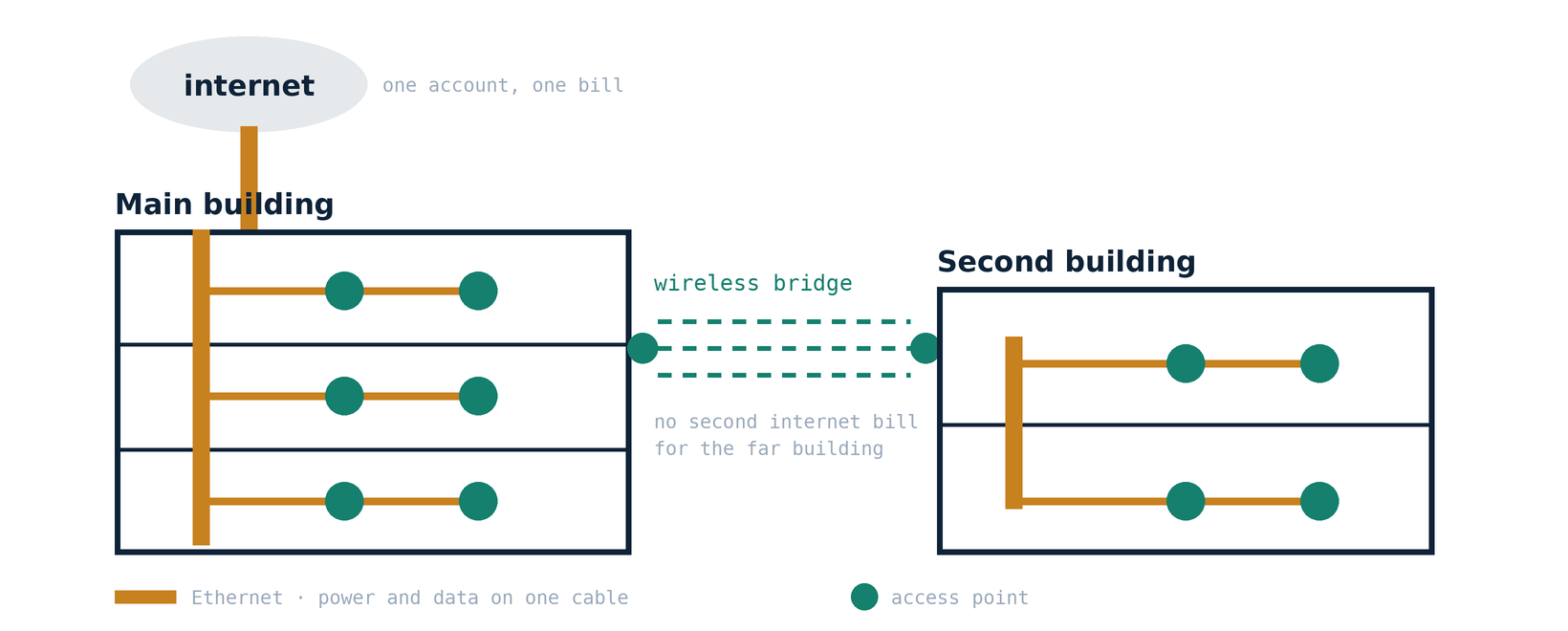
Businesses are a different animal. Same physics, higher stakes: forty devices instead of twelve, a point-of-sale system that can’t drop, cameras chewing bandwidth all day, and staff walking between floors mid-call. For that we build on Ubiquiti — access points placed on a coverage plan instead of a guess, powered over the same cable that carries their data, all fed by switches rather than by each other. We’ve done multi-floor and multi-building UniFi systems: one set of network names, clean handoff from the second floor to the parking lot, and separate networks so a guest laptop can’t see the accounting machine.
If you want us to look at yours
We walk the space with you, measure signal where you actually work rather than where the router happens to sit, and find the paths where a cable can run without tearing anything up. Then I tell you what I found and what I’d change. Work is billed hourly for time spent, plus materials, and you buy the equipment directly.
If you’re not sure your situation is worth a visit, describe it in an email and I’ll tell you honestly whether it’s a fifteen-minute fix you can do yourself.

